Flexible check-in
Use by-station, by-time, or route search flow. Favorites make repeated routes fast.
Real-time train rider awareness
Train Bot helps riders share real-time ticket inspection updates for specific departures. It is built for legal awareness, fast decisions, and cleaner signal quality.
A real in-chat flow from initial consent to an active ride status card.
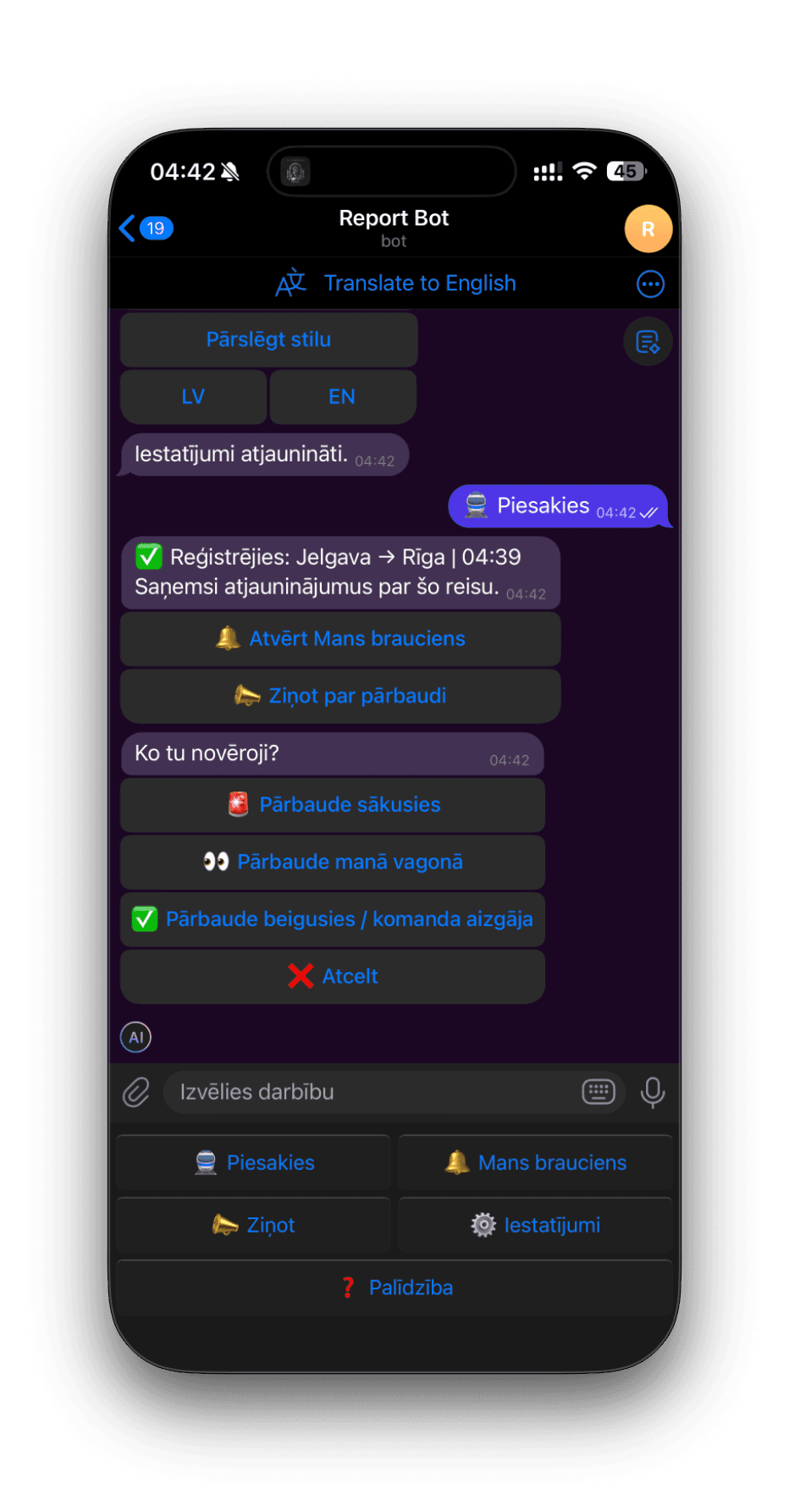
This screen shows language and settings controls, check-in to a specific departure, and structured actions for reporting inspection start, in-car sightings, or inspection end.
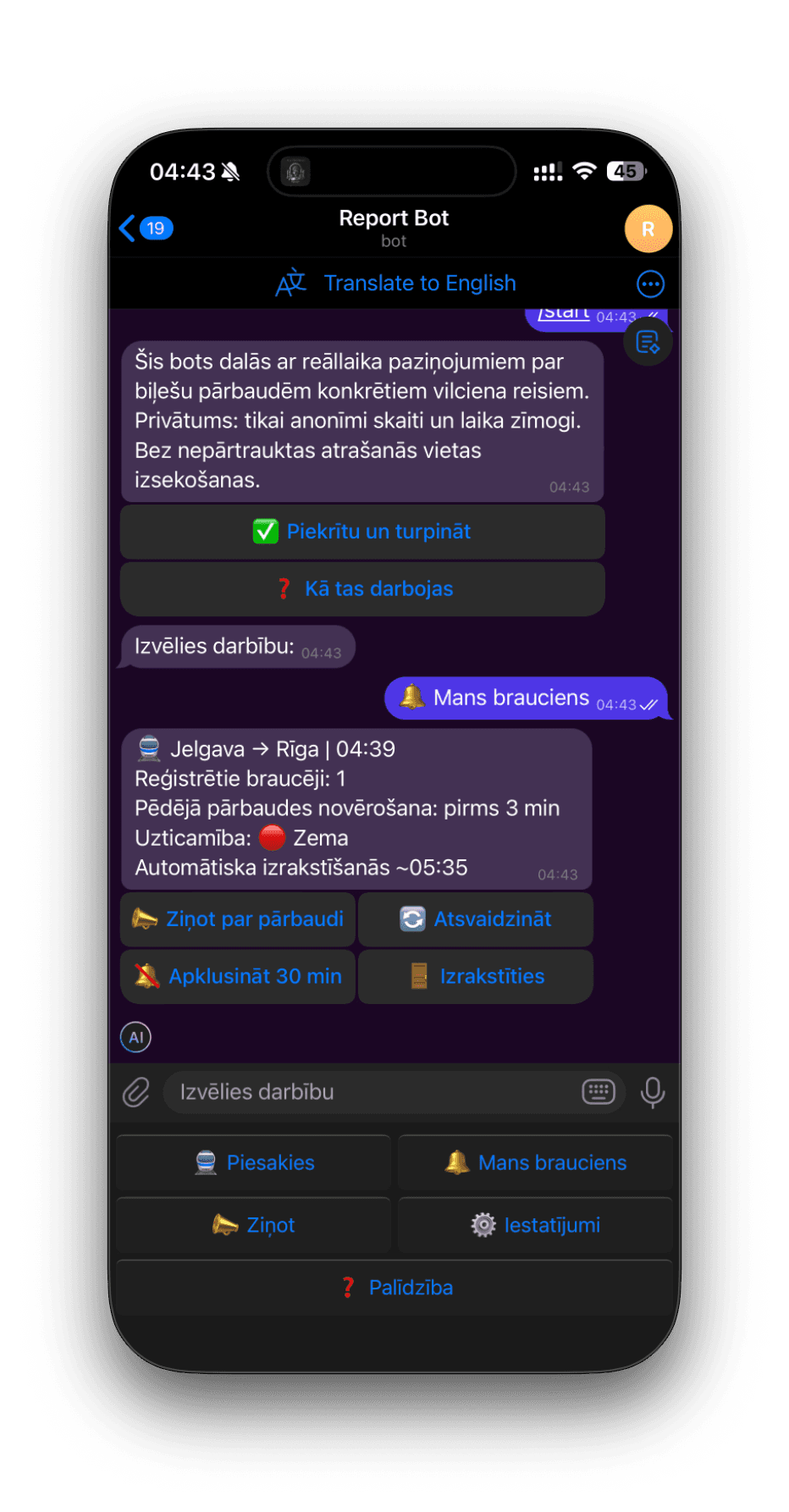
The ride status card summarizes the latest observation time, confidence level, and quick actions to report, refresh status, mute alerts temporarily, or unsubscribe.
Use by-station, by-time, or route search flow. Favorites make repeated routes fast.
Each report uses one clear signal type so updates stay understandable under pressure.
Open ride status to see latest signals, rider count, and confidence level at a glance.
Follow a departure even without checking in, then unsubscribe when you no longer need alerts.
Mute alerts for 30 minutes per train if you need quiet without leaving your ride context.
Toggle alerts, pick discreet or detailed notification style, and switch language quickly.
The bot supports both EN and LV for onboarding and daily usage.
Open the bot and choose your departure.
Check in and monitor the ride card for current status.
Submit a report if you observe an inspection event.
Receive updates from other riders until auto check-out after arrival.
If you want a quick public view of Train Bot overview information, open the separate data overview page. It is meant for convenient browser access without going through the Telegram flow.
Open the bot, pick your ride, and follow the flow in under a minute.